
Win the client, onboard them properly, and never lose the file again
A CRM built for professional practices. Leads, clients, entities, contacts and services share one record, with proposals, engagement letters, signatures and billing a click away.
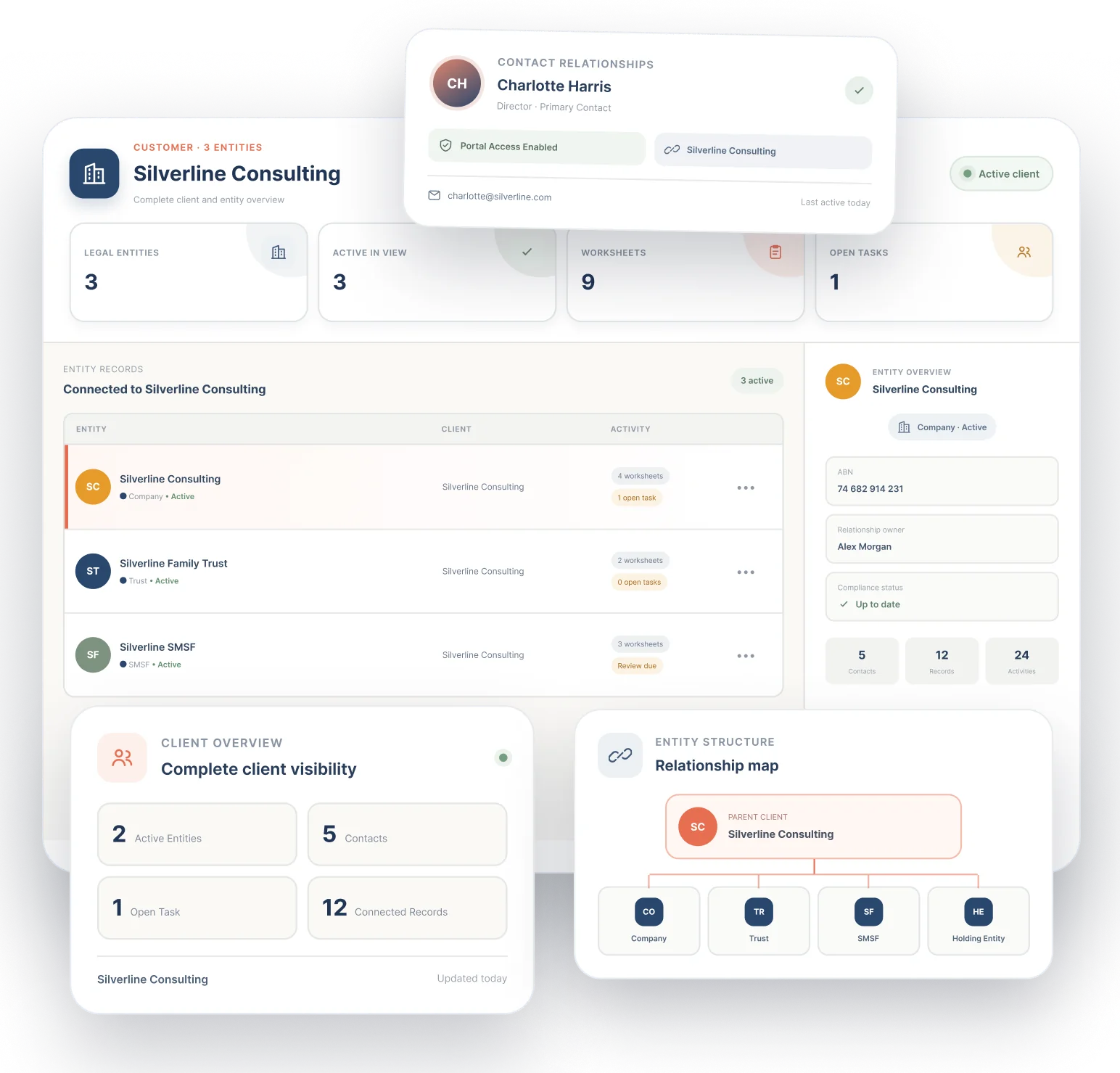
- Leads to clients in one place
- Entities, contacts and tags
- Client portal access
- Proposals and letters
7-day free trial on Starter, Professional and Advanced. Set up in minutes.
One feature that replaces a separate CRM and a folder of spreadsheets
Lead lists, client registers and proposal documents tend to live in different tools. Portal 360 keeps them on one record that the whole team can see.
- Standalone CRM subscription
- Client register spreadsheet
- Website lead form plugin
Without it
- Leads in one tool, clients in a spreadsheet
- Contacts copied between systems by hand
- Entity details scattered across folders and emails
- Proposals written from scratch in a document
- No single place to see everything about a client
With Portal 360
- Pipeline, clients and entities in one CRM
- Contacts attach to organisations and entities
- Tax details, banking and worksheets on each entity
- Proposal Studio and Letter Studio inside the CRM
- Open one client and see profile, entities, contacts, activity and tasks
Pipeline
Run your pipeline, not a spreadsheet
See every lead as a Kanban board, cards, a table, a list or an analytics summary. Drag a lead to the next stage and its status updates straight away. Log calls and notes on the lead so the next person knows where things stand.
- Filter by stage, owner and source
- Drag to move leads between stages
- Pipeline value and follow-ups on the dashboard
- Lead forms that feed your website visitors in as leads
Leads
Pipeline $84kNew
Proposal
Won
Onboarding
Add a client in one pass
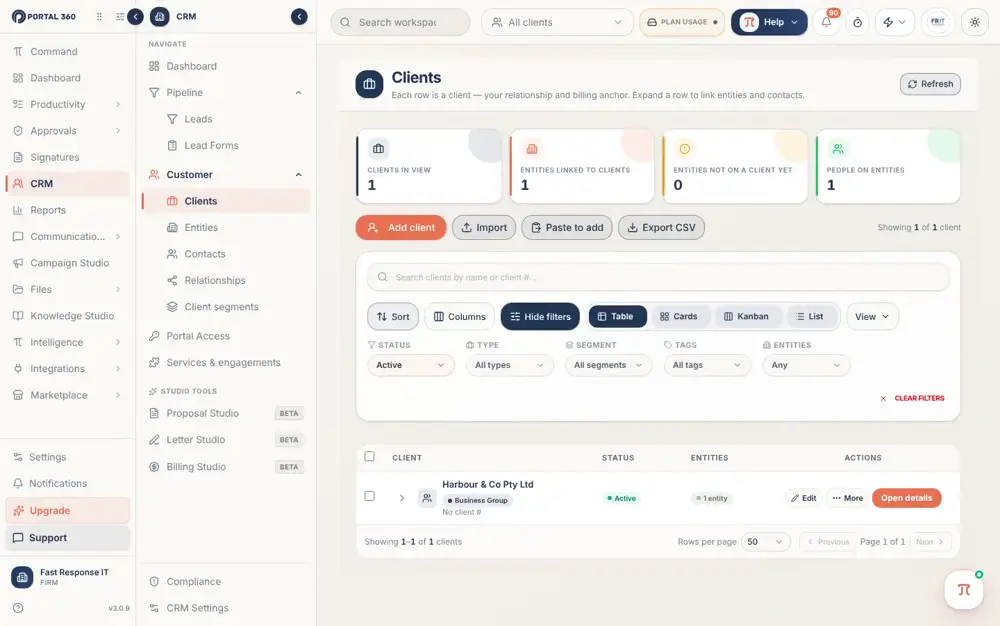
The Add client wizard walks through the client, their contact details and any companies or trusts, so nothing is missed and every client starts with the same complete record.
- Client, contacts, companies and trusts in one flow
- Integrated AML for a faster, compliant setup
- Consistent records from day one
- Tag clients and group them into segments
See it with your own clients.
7-day free trial on Starter, Professional and Advanced. Set up in minutes.
Entities and contacts
Every entity and person behind the client
Entities are the companies, trusts, funds and individuals you act for. They hold tax details, banking and worksheets. Contacts link to entities or sit in your firm's directory, and a relationships map shows who relates to whom.
- Companies, trusts, funds and individuals
- Open details for profile, entities, contacts, activity and tasks
- Filter contacts by role, portal access and tags
- Relationships live on each client's page
Harbour & Co Pty Ltd
Active- EntitiesCompany, family trust, 2 individuals
- Contacts3 people · 2 with portal access
- Tags and segmentsSole traders, GST quarterly
- Activity and tasks4 open tasks · last contact today
Win and bill the work
From proposal to engagement to invoice
Build a service catalogue with a price and billing frequency for each service. Then use the Studio tools to propose, write engagement letters and bill, all from the CRM menu.
- Proposal Studio with share links
- Letter Studio for engagement letters
- Billing Studio for invoicing
- Send the engagement letter for e-signature
Win and bill the work
- Proposal sentShare link openedViewed
- Engagement letterSent for e-signatureSigned
- Invoice raisedMonthly bookkeeping serviceDue
Everything included, nothing to bolt on
All of this is part of Portal 360, on the same client record as the rest of your practice.
Integrated AML
Handle regulatory checks natively as part of onboarding, for a faster and compliant setup.
Lead management
Capture, qualify and progress leads with owners, sources and stages.
Lead forms for your website
Build a form, publish it and embed it. New enquiries become leads automatically.
Clients and entities
Companies, trusts, funds and individuals with tax details, banking and worksheets.
Contacts directory
People linked to entities or saved on their own, filterable by role and portal access.
Tags
Coloured labels you create once and apply to clients, entities and contacts.
Client segments
Named groups of clients to filter lists, restrict who sees what, or send a broadcast.
Client portal access
Give a contact their own login to the client portal.
Service catalogue
Each service with a price and billing frequency, ready to attach to engagements.
CRM dashboard
A one-page view of leads, clients, entities, contacts, pipeline value and follow-ups.
How it works
- 1
Capture the lead
Add it by hand or let your website lead form create it for you.
- 2
Move it through the pipeline
Drag the card through your stages and log calls and notes as you go.
- 3
Convert to a client
Use the Add client wizard to create the client, contacts and entities, with AML checks handled as part of onboarding.
- 4
Engage them
Send a proposal and an engagement letter for e-signature.
- 5
Do the work and bill it
Create tasks and workflows for the client and invoice from Billing Studio.
Part of one platform, not another tab
Everything here works with the rest of Portal 360, so the work you do in one place shows up where it matters.
Frequently Asked Questions
Lead management with a pipeline, clients, entities, contacts, tags, client segments, a service catalogue, lead forms for your website and a CRM dashboard.
Bring every lead and client into one place. Start your free trial.
Add your first client in minutes and see the whole relationship on one screen.
7-day free trial on Starter, Professional and Advanced. Set up in minutes. Or talk to our team.