
Know who is doing what, for which client, by when
Worksheets, tasks, checklists and repeatable workflows, with time and billing tracked on the same screen. It is practice management without the separate practice management bill.
- Kanban, table or cards
- Repeatable workflows
- Checklists and subtasks
- Billing report
7-day free trial on Starter, Professional and Advanced. Set up in minutes.
One feature that replaces the task app and the job tracker
Work usually gets tracked in a task app, a spreadsheet and somebody's head. Portal 360 puts jobs, steps and time against each client.
- Separate task or project app
- Job-tracking spreadsheet
- Standalone workflow tool
Without it
- Tasks in one app, clients in another
- A spreadsheet of jobs nobody keeps current
- Recreating the same checklist for every client
- Chasing people for status updates
- Time and billing worked out at month end
With Portal 360
- Tasks live in a worksheet for each client job
- Kanban, table or cards, filtered the way you work
- Workflow templates create the right tasks for each client
- Statuses, priorities and due dates visible to everyone
- Billable time and value in one report
Tasks and worksheets
See the work the way you think about it
A worksheet groups the tasks for one client job. View them as a Kanban board, a table or cards, and filter by client, worksheet, status, priority, assignee or due date.
- Kanban, table or card views
- Filter by client, status, priority, assignee and due date
- Assignment, schedule, work and billing on the task
- Import tasks from a CSV file
Tax returns, this month
To do
Gather records
Request bank feeds
In progress
Prepare return
Review GST
Review
Partner sign-off
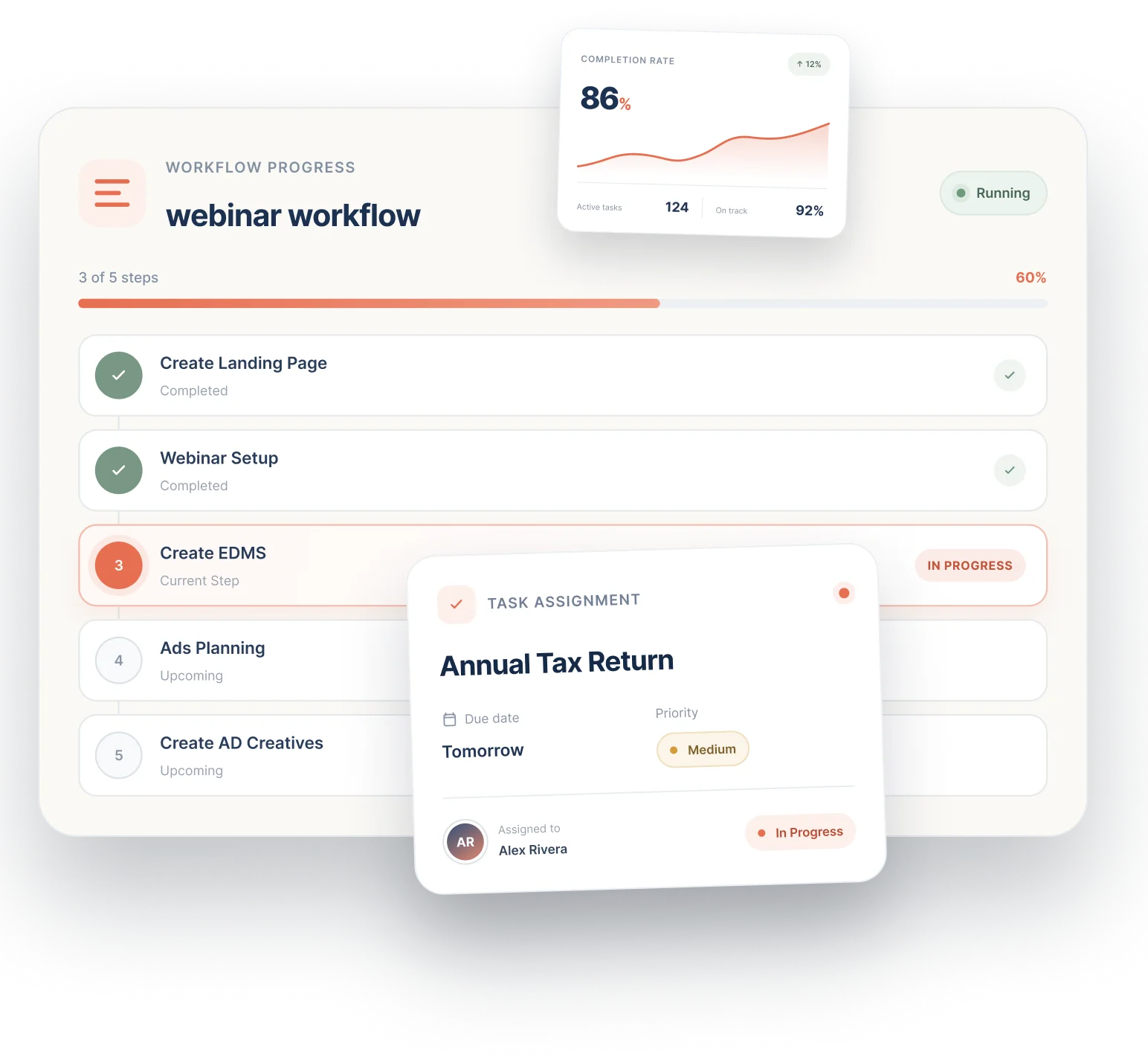
Workflows
Do the same job properly, every time
A workflow template defines the steps and the tasks each step creates. Start it for a client and the real tasks appear in their worksheet, ready to assign.
- Templates for your standard engagements
- Steps that create the right tasks
- Start for any client in a click
- Consistent delivery across the team
See it with your own clients.
7-day free trial on Starter, Professional and Advanced. Set up in minutes.
Checklists and subtasks
Nothing slips through the cracks
Add a checklist of small ticks or break a task into subtasks. Save checklist templates for the lines you use again and again.
- Checklists on every task
- Subtasks for bigger pieces of work
- Reusable checklist templates
- Statuses you can customise per worksheet
Onboard new client
AI Auto-fill- Collect ID and engagement letter
- Set up folders and portal access
- Connect the ATO and accounting software
- Schedule the kick-off call
Time and billing
Know what the work is worth
Track time and value on each task, then open the Billing Report to total billable time and value-based lines. Group it, filter it and export it.
- Default billing rate in settings
- Time and value on each task
- Group and filter the report
- Export for invoicing
Billing report
This month- Billable time42.5 hrs
- Value-based lines$6,200
Everything included, nothing to bolt on
All of this is part of Portal 360, on the same client record as the rest of your practice.
Productivity dashboard
A quick read on what is open, due and overdue.
Worksheets
One home for the tasks of a single client job.
Kanban, table, cards
Switch views with one click to suit how you work.
Powerful filters
Narrow by client, worksheet, status, priority, assignee and due date.
Workflows and templates
Repeatable steps that create tasks for each client.
Checklists and subtasks
Break work down and tick it off.
CSV import
Bring tasks in from a spreadsheet with a column mapping check.
Custom statuses
Set statuses for the workspace or per worksheet.
Approvals built in
Mark a status as needing sign-off and review requests are created.
How it works
- 1
Create a worksheet
One for each client job, so tasks always have a home.
- 2
Add tasks or start a workflow
Create tasks by hand, import from CSV, or start a workflow template for the client.
- 3
Assign and schedule
Set the assignee, due date, priority and checklist.
- 4
Move the work along
Drag cards across the board. Statuses can ask for internal or client approval.
- 5
Report and bill
Use the Billing Report to total tracked time and value.
Part of one platform, not another tab
Everything here works with the rest of Portal 360, so the work you do in one place shows up where it matters.
Frequently Asked Questions
A worksheet groups the tasks for one client job. Every task belongs to a worksheet, so you create a worksheet before you create tasks.
Run every client job from one board. Start your free trial.
Create your first worksheet, start a workflow and see the whole practice's work at a glance.
7-day free trial on Starter, Professional and Advanced. Set up in minutes. Or talk to our team.